Azure Event Hub
Summary
Frends offers seamless integration with Azure Event Hub, enabling you to effortlessly connect and automate data flows between your systems and Azure Event Hub.
Frends has tasks for performing all core Azure Event Hub operations.
By leveraging Frends' task-based approach, you can configure and customize Azure Event Hub integrations according to your specific requirements. Frends offers a wide range of tasks that facilitate integrations to a variety of systems and protocols.
Getting Microsoft credentials
To get data needed for connection you need to register an application in Azure Active Directory and grant it the necessary permissions. Once you have registered the application, you can obtain the required credentials, which will be used to configure the connection in Frends. To do that you should do following steps:
- Sign in to the Microsoft Entra admin center or Azure Portal.
- Go to Identity > Applications > App registrations.
- Select your application from the list (or create a New registration).
- On the Overview page, copy the following values:
- Application (client) ID \(\rightarrow\)
ClientId - Directory (tenant) ID \(\rightarrow\)
TenantId
- The Client Secret acts as the "password" for the application. It is used to prove the application's identity when requesting a token.
Here you can find some useful Microsoft guides:
- How to find your Tenant ID
- Register an application with the Microsoft identity platform
- Create a new client secret
Use cases
Below you will find typical use cases for Azure Event Hub integrations and how they are implemented in Frends.
Receive events
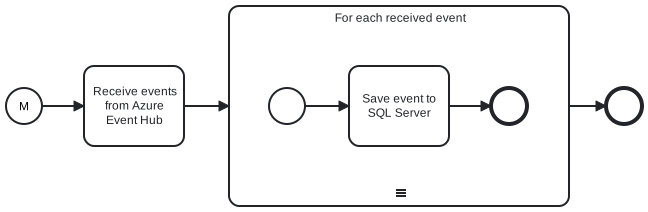
By using the Receive task we can create an integration that receives incoming events and saves them to a database.
Send events
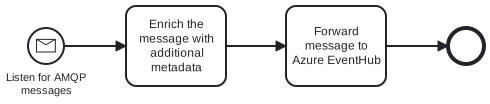
By using AMQP trigger and the Send task we can create an integration that listens for incoming AMQP messages, enriches them with some metadata (e.g. correlation ID) and forwards them to Event Hub